This is a really long review but I wanted to cover all the things that I was worried about before (1. having no communications with our videographer until he showed up at the wedding - you can send info and requests beforehand via the main customer service email, but that's it, 2. having non-stylized video and having it look boring as a result, 3. not being able to edit it myself with no experience, and 4. having a videographer who got in the way of the photographers or was otherwise inexperienced since we couldn't interview him ahead of time like we did with other vendors) and explain why none of it turned out to be an issue.
We weren't sure if we wanted videography for our wedding, but figured as Vanilla Video was so affordable, it wouldn't be a bad idea to just have video to supplement to our photos. We thought that even if it didn't turn out great, at least the two of us would enjoy watching it and reliving it, even if we didn't share it with others. Well now that I'm halfway through editing our video, I am SO happy we decided to get video and especially from Vanilla Video. Our videographer Ian was great. He showed up on time, at sort of a hidden location while we were taking our photographs (no address but he found it with no issues). And then he just melted into the background the rest of the day. He worked great with the photographers. Also, he was such a trooper with his heavy equipment during the first part of the hot day when he had to carry everything while we walked. And although we didn't have a relationship with him before like we did with our photographers (don't expect to fawned over like your other vendors do to you because you're not paying for that; you're paying for affordable, straightforward service) he was really nice and we liked him immediately.
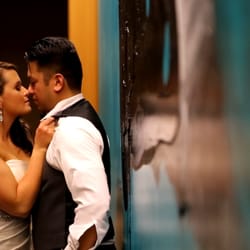
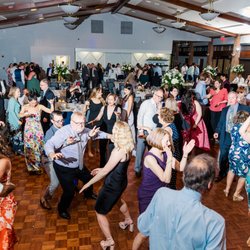
I waited to write the review until we got the footage (took 2 weeks because of the busy season). We purchased 6 hours of coverage, got 2 hrs of footage, and it is great! Ian got everything we would have wanted him to get (we didn't give him any direction beforehand), and he also got some surprisingly artistic and beautiful shots while we were getting our photos taken, so he has a good eye for composition (and did some nice camera panning on several shots). I'm about halfway done cutting the video down to about 30 minutes we can share with people (I also want to make a 10 minute version when I'm done, I'm having so much fun doing it!), and it looks AMAZING! I watched one YouTube iMovie tutorial to get started and did some googling, but it's been super easy learning as I go along, and once you add music and play around with the audio (interlacing the vows over background music, etc.) it will look and sound amazing and surprisingly look like a pro edited it! I'm still figuring out the best way to color edit my video, but iMovie also lets you really make the colors pop like a professional video. I'm shocked at how easy it is and how lovely the video is turning out (hint: watch a lot of professionally produced wedding videos online to get a sense for the style you want to emulate and also to feel happy about having spent 1/4 of the cost that other couples spent to get a video that looks just as good).
And something great that I didn't anticipate is that the process of editing the video myself is so much fun. You'll have to watch and listen to the same video sections over and over again as you try to clip it and arrange it in exactly the way you want, but it's so wonderful to relive the day and although the work is lots of minutiae, it won't feel tedious because watching your wedding never gets old. Also, I really love that I get to decide which clips I want instead of someone else so I can include the clips that depict people and moments that a videographer/editor might not necessarily realize are important to us. Vanilla Video is absolutely right that you don't need someone else to provide the finished product for you if you're willing to put in a little time and it's so worth it for not only the cost savings, but the level of control you get over all of your footage. read more