Peak Internet Photos


You might also consider


More like Peak Internet
Recommended Reviews - Peak Internet
Start your review...



13 years ago
Business owner information

Peak Internet _.
We're sorry to hear about your frustrations, Michael. Please send us…

3 years ago

3 years ago
4 years ago

12 years ago
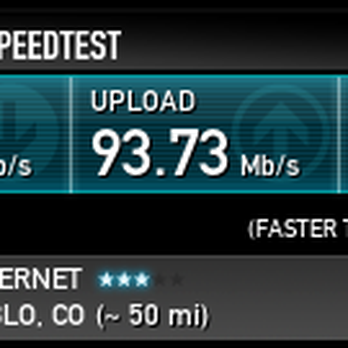
Beware: This company advertises fast internet speeds, but in reality rarely provides those speeds. Like every ISP, the advertised speeds are up to that speed. You shouldn't expect to get the top speed all of the time, but you can expect an average speed about 70% of the advertised speed most of the time. That's how a regular ISP works. I am receiving speeds at 50% or lower of the advertised package speed 100% of the time. Peak has a guaranteed minimum which is nice, but they seem to think the guaranteed minimum is the speed that you should average at. One thing to keep in mind with wireless internet is your speeds may fluctuate due to weather and interference. This is not the issue with the package I ordered, as I explain below. I order the 20Mbps plan. I ran speed tests and monitored the line for a full week after install, and these were the results: * Speeds to Peak Internet hosted servers: 90% to 100% of capacity. This is useful in determining that there is not an issue between the transmitter on my house and the tower. * Speeds to any other speed test server, CDN, website, regular download server: 50% or less of capacity. I tested to multiple types of servers at multiple locations across the USA. My average speed was 7Mbps. My max speed was 13Mbps. I never once went above 13. I have this well-documented, but they're not interested in looking at the documentation. When I contacted Peak Internet about this issue and provided them the documentation of the tests I had been running they refused to acknowledge the issue. They said I was getting above their guaranteed minimum (4Mbps) and that I should actually be happy that I was getting 12Mbps. If I wanted that, I would have paid for the 12Mbps plan. Peak Internet has major issues with peering and their bandwidth providers. When I pay for internet access, that means the whole internet. I'm not paying for fast speed tests to internal servers. They also just don't seem to care. They didn't want to look into the speed issue. They didn't have any desire to provide good service. They just wanted to make their money and not deal with people who call them out on their false advertising. I feel sorry for somebody less technologically savvy that is paying for their higher packages but getting slow speeds. They don't know that they're paying double or triple than they could be for the exact same speed they are getting now with the same company. This company likes to respond that they don't have any control over traffic as it leaves their network. This is in fact false. An ISP can purchase good quality bandwidth / peering agreements to deliver the best service to their customers for the most affordable price. Unfortunately, Peak does not seem to care too much about their customers. If all they can provide is their "minimum guaranteed speed," that should be what they offer. I would be satisfied if they were being truthful in what they can provide. read more
4 years ago
5 years ago
Business owner information
Peak Internet _.
Any time a customer has service issues our tech support attempts to…
4 years ago
4 years ago

5 years ago
4 years ago
4 years ago
6 years ago

7 years ago
Business owner information
Peak Internet _.
Thank you for your 5-star review, Bruce! We're happy to hear you had…

9 years ago
7 years ago
12 years ago
6 years ago
Business owner information
Peak Internet _.
Thank you for your review, Cindy! We're so glad to hear you had a…

12 years ago

11 years ago
7 years ago

14 years ago
9 years ago

9 years ago
Business owner information
Peak Internet _.
Mr. Whitfield,…
9 years ago
8 years ago
7 years ago
7 years ago
6 years ago
Business owner information
Peak Internet _.
Thank you for reviewing us, Denny. We're sorry to hear you did not…

9 years ago
Business owner information
Peak Internet _.
Wylie, thank you for your review and your interest in Peak Internet.…
12 years ago
Business owner information
Peak Internet _.
We're sorry for your frustrations. DISH Network's broadband product…
9 years ago
11 years ago
7 years ago
9 years ago
9 years ago
10 years ago
10 years ago
Page 1 of 2
More info about Peak Internet
Ask the Community - Peak Internet
Review Highlights - Peak Internet








Why does Yelp recommend reviews?
65 reviews that are not currently recommended
The reviews below are not factored into the business's overall star rating.
13 years ago

12 years ago
14 years ago
13 years ago
13 years ago
7 years ago
14 years ago
13 years ago
13 years ago
8 years ago
11 years ago
6 years ago
10 years ago
7 years ago

13 years ago
6 years ago
12 years ago

13 years ago

12 years ago
6 years ago


