Referring to Scott S, I am not sure who Jane Peterson is? Of the Nov 29th Review? Anyway I dealt…read morewith exceptional service from Jason.
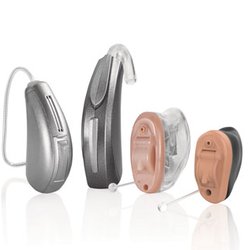
Scheduled to receive the new state of the art Starkey hearing aids on Monday. LHA in La Mesa Ca are one of the first to receive these from Starkey.
https://www.starkey.com/hearing-aids/omega-artificial-intelligence-hearing-aids? (copy & Paste in your browser for more info)
Everything you've wanted in the past , for hearing aids, but were never included, or just didn't work the way you wanted them to.
In addition to a 45-51 hour battery life for continuous use throughout the day, with full connectivity for your most recent Android and iPhone devices purchased within the last few years.
In which you can check compatibility at the Starkey website link above.
They also come with the streamers for your Tv, and a clip on mic for a companion if say your on a hike and you want great communication between the two of you and your walking or just want to have better clarity for your conversation. However, when I put the demo on at Lamesa Hearing Aids, WOW, Clarity is 100%, and no issues with volume, and plenty of adjustments to tailor to your hearing compatibility and hear requirements.
Also, don't waste your time at , well I probably shouldn't mention their name, but I am going to anyway, because of continued lack of service, and nastiness from the manager at " Hear USA" in La Mesa, their competition! They could have ordered these for me, but it would have been several months. And with the past level of service I received, I chose to go to a more reliable provider for my hearing loss needs.
The deal I received, well, they come with all the peripherals that you need to connect to stream, including an incredible discount especially if your retirement age and your hearing aids are at the end of their life cycle and need replaced. I honestly believe I saved about 2000.00 by visiting La Mesa Hearing Aids and making them my new specialist for my hearing disability needs FYI I have approx. 50% hearing loss and with the new Starkey hearing aids I can enjoy a long day of quality sounds and family conversation, listening to my favorite TV shows, and streaming music why working in the garden, and being connected to my phone all day long.
**UPDATE
I was incorrect about 1 item I mentioned, the clip on microphone was not a choice of an accessory I chose, as with the coverage of the hearing aids themselves, it was not needed! So they come with 2 accessory's so I chose the TV Streamer, and returned my AC Wall charger in exchange for the Travel Charger, in which I'm currently testing, but so far I have gotten 3 charges out of a full charged travel charger, after charging the travel charger. As we do travel a lot, this will come in very handy, if we dont have the option for power to charge my hearing aids for a couple days during a trip.
A note regarding the TV Stream box, actually the App that controls this; When you activate the stream box with the app, and, if you own a Samsung newer TV, (For advanced users here with knowledge of their TV accessory Device Menu section)
QLED 55,65 NEO or newer than 2024; make sure you DO NOT add your device to the Blue Tooth device list on your TV Menu! It is a real pain in the ass to get it to work properly, especially if you have other Bluetooth devices in your home, and the TV thinks it is a primary controlling device. BAD, so, that said if, and I say if it adds the device automatically to the list you can go into the menu, and to the Bluetooth controller section, and just block the device streamer form the TV's Bluetooth connection! You do not need to connect it to the Bluetooth connection, only the TV's physical output of the OPTICAL Connection by the provided optical cable.
After doing this, using your Samsung TV Remote the outside circle of the mouse on the remote select settings, push top of the ring, it will bring up all the "Quick Settings" of your TV, and scroll right till you see: "Digital Output Audio" You push the center of the circle at this time, until it changes to PCM, your streamer will work perfect at this time, after your app is up and running, if the remote on the TV times out just repeat this process and make sure your digital output, for that matter on any television is selected for PCM output, if your using the Optical Out of your TV.
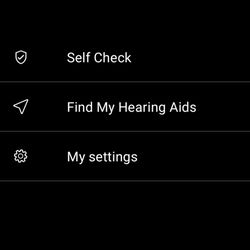
One more thing I recently discovered, was while your streaming on the app with your TV Streamer, if the volume from the TV even at maximum sounds to low, the 3 icons on the app "Adjust Audio", Programs (Will be greyed out while streaming) and " My Hearing", select My Hearing, then Audio Streaming, Click TV Streamer Sound, Select OVERALL Boost!! Then just back out back to the home screen of the app, this will give you Much Much better control of the streaming volume.
Thanks Jason So far so good, Excellent service
Wes